Interesting Tech Projects
Posts tagged Windows
Radio Controlled Aircraft for Stroke Victims
Oct 23rd
This post introduces my open source radio control project. It allows an RC aircraft to be controlled from a Wii Nunchuk, i.e. with one hand! Videos will be posted when they are available but so far it is working great in the flight simulator and with a stationary aircraft.
All documentation, source files and binary files are available for free from this site, so you can build your own. Be sure to read the disclaimer before you start however.
I would love to hear your success stories using this modular system!
Part Design Tools and Workflow
Nov 19th
After spending quite some time trying different pieces of software I have come up with a collection and a workflow that I think will fit my needs.
I wanted to be able to accurately design parts in 3D, see how the parts will fit together to make sure they are right, and produce traditional engineering drawings of the parts, if possible. Also it is necessary once a part has been designed to be able to convert it into toolpaths, which is the path that a drill bit would move along to make the part. The toolpaths are represented using g-code which can be processed by EMC2 to move the stepper motors. Another requirement was to use free software where possible to try and keep costs down.
I start with Alibre Design Xpress. This is an excellent 3D design program that is also free. However free comes with a price, that is limitations. The key limitations are a limited number of export options and limited number of parts in an assembly. An assembly is a collection of parts fitted together to build something. However with enough perseverance these limitations can be overcome. In Design Xpress I created a simple test part that contains two holes for bolts:
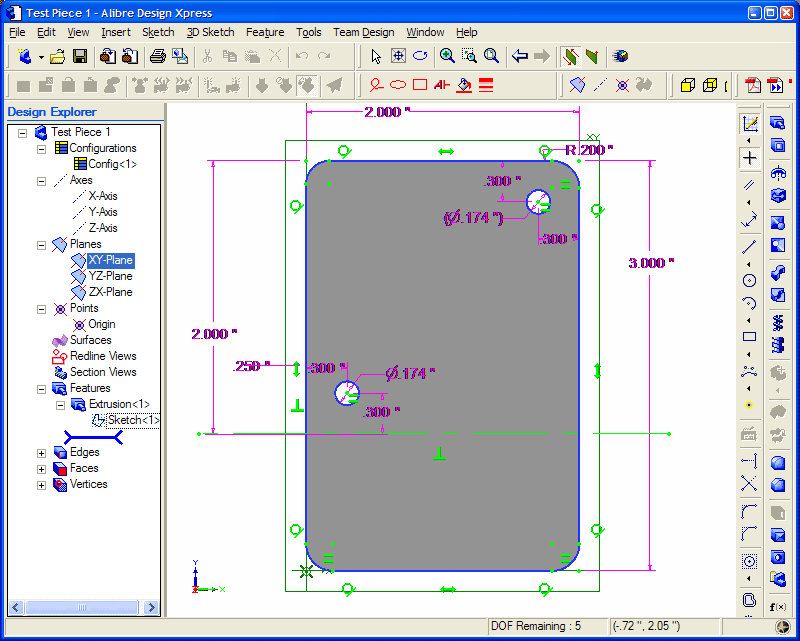
Creating this 2D profile is very quick and easy. The holes are 0.174″ in diameter, which should be big enough for a #8 bolt. Next step is to extrude the 2D profile into a 3D part:
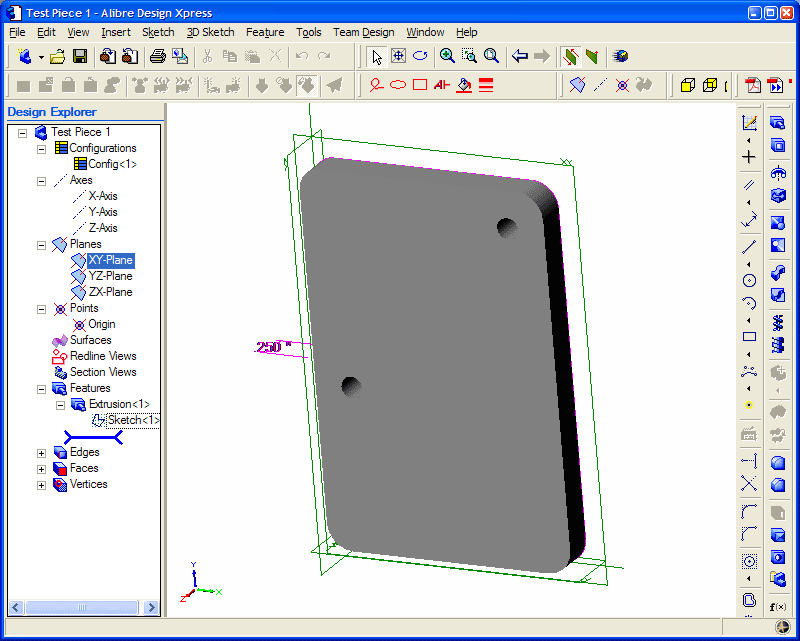
The part can be rotated and viewed from any angle. I decided to make the part 0.250″ thick. At this point Design Xpress can produce various numbers regarding the part, depending on the material it is made of. Choosing “Wood – southern pine” resulted in:
Volume = 1.480147117 in³
Mass = 1.576592260E-2 kg
Surface Area = 1.453202145E1 in²
Pretty interesting.
The software only allows five unique parts in an assembly, unless you register then it is 10. However this is quite a severe limitation in my opinion. Fortunately there is a way around this. Alibre has written an add-on called 3D Publisher for Google Sketchup that allows parts to be exported in Google’s Sketchup format. It’s not a requirement that the parts be uploaded to Google’s 3D Warehouse. Instead the exported parts can be saved to your hard drive. The following screenshot shows an assembly of two of the test parts along with size #8 bolts and nuts. The exact bolts are ANSI PHN, CRSHD TYPE II, B18.6.3, .164-36 UNF, 0.75, which gives an indication of the accuracy expected from designing parts and assembling them.
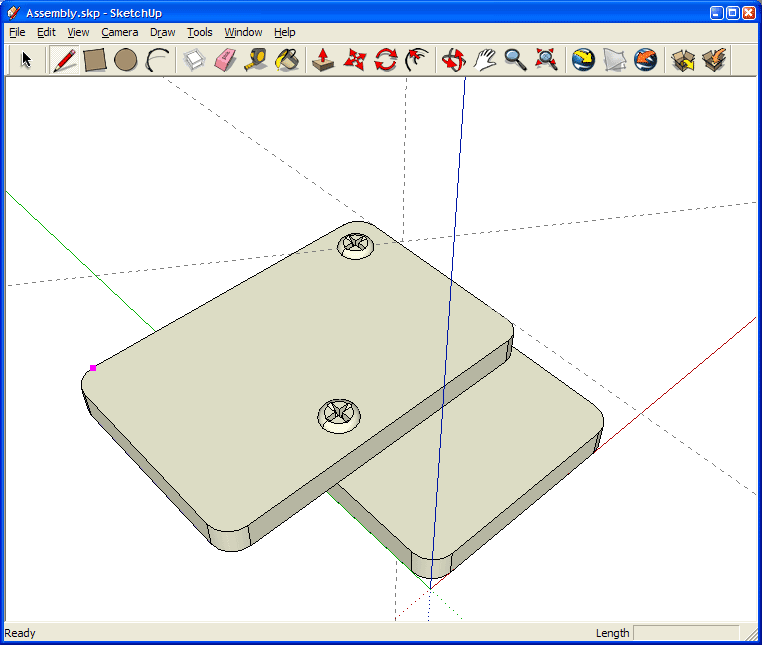
Again, this assembly can be rotated and the parts can be made transparent, along with plenty of other options. There is even a free add-on for Google Sketchup that provides a ray tracer. Assembling two parts confirmed my intention that the holes will line up.
With a few mouse clicks Design Xpress can convert the 3D part into traditional engineering drawing:
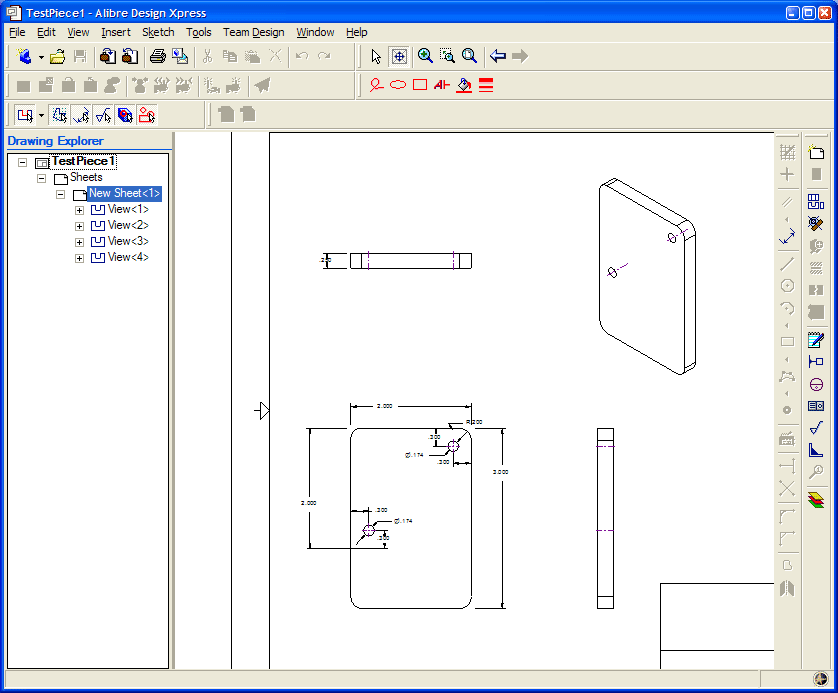
This can be printed out, emailed, etc. and provides all the measurement details for someone else to reproduce the part without having access to electronic files. The drawing can also be exported as a DXF (without the annotations), which is needed for the next step.
I found an excellent application to generate toolpaths for a part called CamBam. It takes a DXF file and provides an easy to use user interface in which you can select which items are profiled, drilled, pocketed, etc. Once the DXF file is loaded into CamBam all the unneeded views are deleted to leave the original 2D profile. For this part I added a 2.5D profile operation to cut the outline of the shape and two sprial drill operations for the holes:
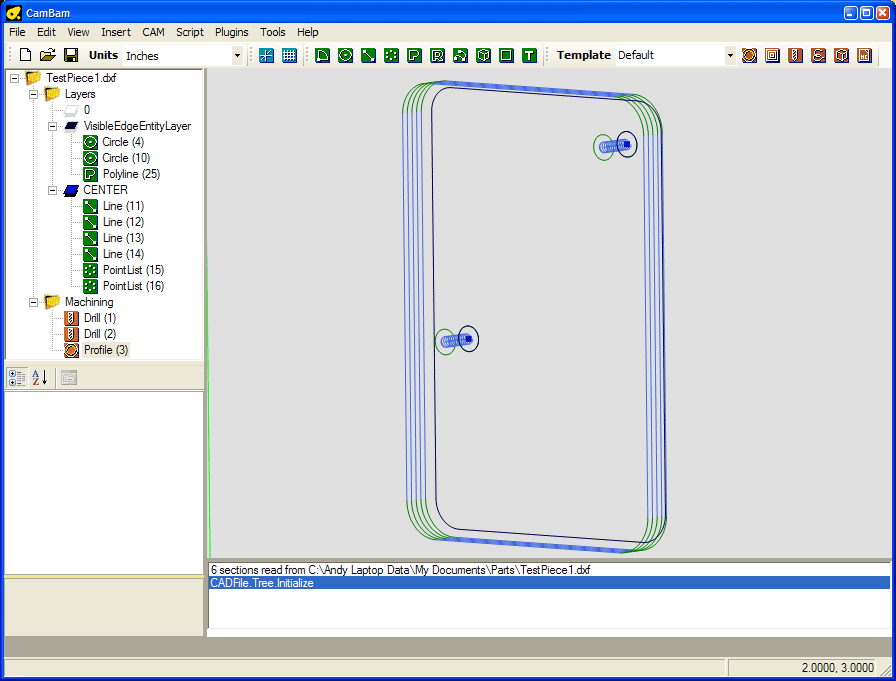
Cam Bam then generates the g-code which can be loaded in the AXIS interface in EMC2:
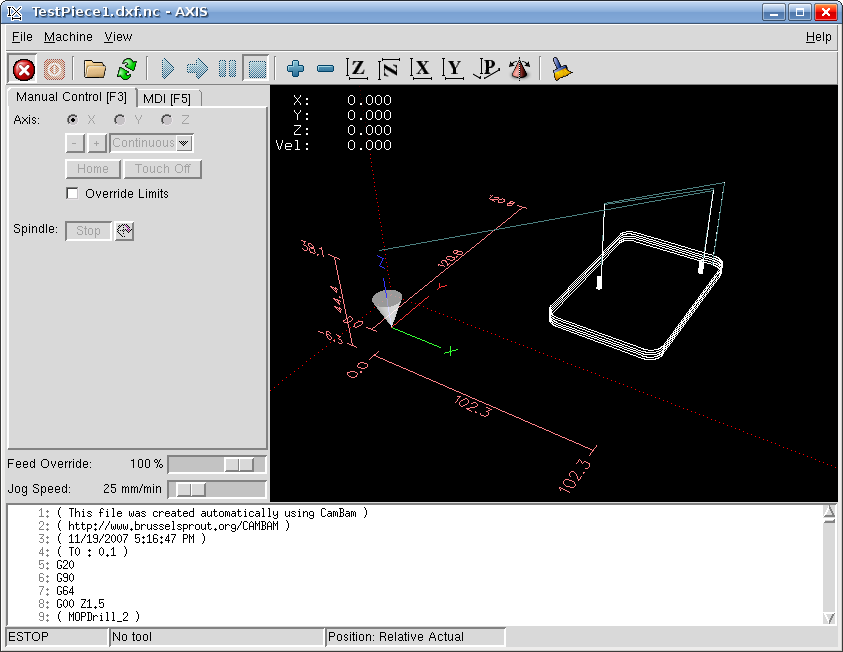
This process may seem convoluted, and it requires both Windows and Linux, but all the software can be obtained for free and is high quality. I haven’t completed my CNC machine yet, but I can watch the part being made in the AXIS interface without having the motors connected. I would expect that all the software will work in a Virtual Machine in Linux, however note that Design Xpress requires a lot of RAM to run (300Mb I believe).
Low Cost and Free CAD Programs
Nov 12th
I have stumbled across a large list of low cost and free CAD programs, mostly for Windows however. It seems there are many good choices in the list and I will try out a couple in the next day or two.
Windows XP and Stepper Motors
Nov 4th
My first test after assembling the board was to connect one motor to each axis in turn and test using Windows XP SP2 and Mach3. The test involved going to the motor tuning section and pressing the up and down arrows.
On the X and Y axis it was clear that steps were being lost. I had to turn the settings down to the lowest speed and even then there was the occasional loss of a step.
On the Z axis however the shaft only twitched. With identical settings to the X and Y axis it would not spin. So, the conclusion I drew was that there is a board problem with the Z axis.
Now I am testing with EMC2 running on Linux. My first test showed that all three axis, X, Y and Z appear to work just fine. The shaft spins quite happily on the Z axis…
So the moral of the story is that if one axis behaves differently it could be Windows causing it and not the board.
If you are stuck with Windows probably the only ways to determine where the problem lies are to either use a modified cable to swap pins around (so the problem axis is controlled by the pins for another axis) or to switch to TurboCNC and try that (perhaps with FreeDOS).
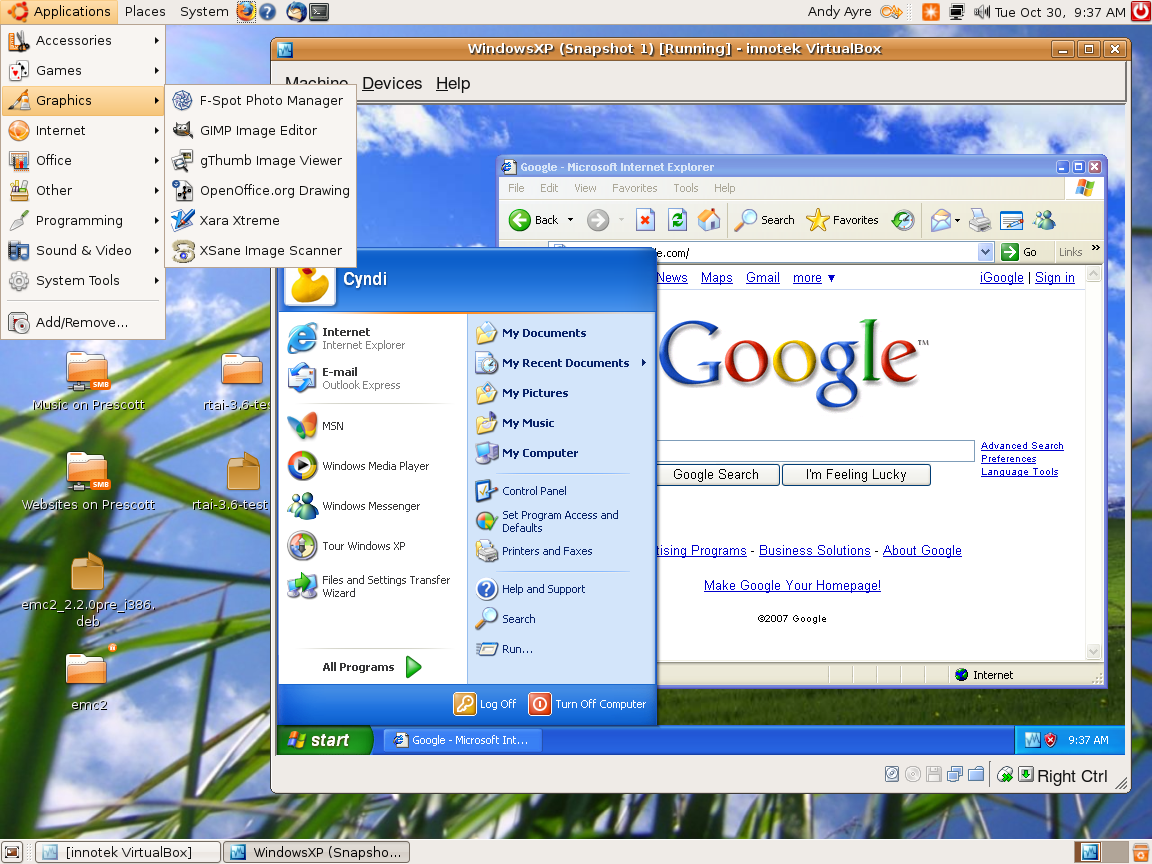
Windows XP Running Inside Ubuntu 7.10 Gutsy Gibbon
Oct 30th
I am still working on getting EMC2 working in Ubuntu 7.10, but in the meantime I decided to give Virtual Box a try. The Virtual Box website has deb files for Ubuntu so installation was easy. I created a new virtual machine with 192MB of RAM and 6Gb of drive space and stuck the XP SP2 CD in the drive and started the machine. From that point the XP installer went through it’s machinations until I had the desktop running.
I am pretty impressed. The speed of XP is almost as fast as if it were running on it’s own. It’s perfectly usable, has network access and can resize the desktop to match the window on the fly. It automatically captures the mouse pointer when it goes over the window, and it is possible to take snapshots of the PC and restore them. In other words, no waiting for XP to boot up; just go straight to the desktop.


